
Unit Campaign Pages
A marketing campaign landing page is a powerful, focused tool designed to drive a single action, typically directing the reader to complete a form to request specific information, register for an event or sign up to engage with us. Unlike traditional web pages, a campaign landing page strips away distractions and guides your audience toward one clear goal.
How to Create a Concise Campaign Page
Use the Unit Landing components to create a simple page that introduces the campaign, reinforces the benefits of engaging with us and quickly drives the reader to the intended call to action, usually a form. Work with the Division of Marketing to set up campaign tracking UTMs before you launch.
-

Use a Compelling Image and Simple Headline
The Unit Landing Photo Background with Text Box component provides the largest headline style and the headline box can be positioned top right (as shown), top left, bottom right and bottom left. Try to keep it simple with just a headline and no additional text.
-

Establish the Purpose of the Campaign
The Unit Landing Centered Headline and Text component allows you to engage the reader early on the page and briefly explain why they should engage with us.
-

Provide a Personal Experience
A quote, with or without a photo, from someone who has benefited from the campaign can go a long way to make the campaign relatable. The Unit Landing Pull Quote with Photo component provides multiple color and image choices that coordinate with other elements on the page.
-

Create a Clear Call to Action
A successful campaign starts with a clear call to action. The Unit Landing Split Photo Bar with Form Embed component gives the reader a quick and easy way to sign up or request more information. Keep the form simple to gather information to meet the reader’s request and move them to the next stage in your engagement process. The submit button should trigger a Thank You page.
-

Finish with a Memorable Image
The last element on the page should include an image and phrase that wraps up the campaign in a few words. A Photo Background with Text Box can accommodate a slightly smaller image than the one at the top of the page when the image size is set to shallow.
Example Campaign Landing Page
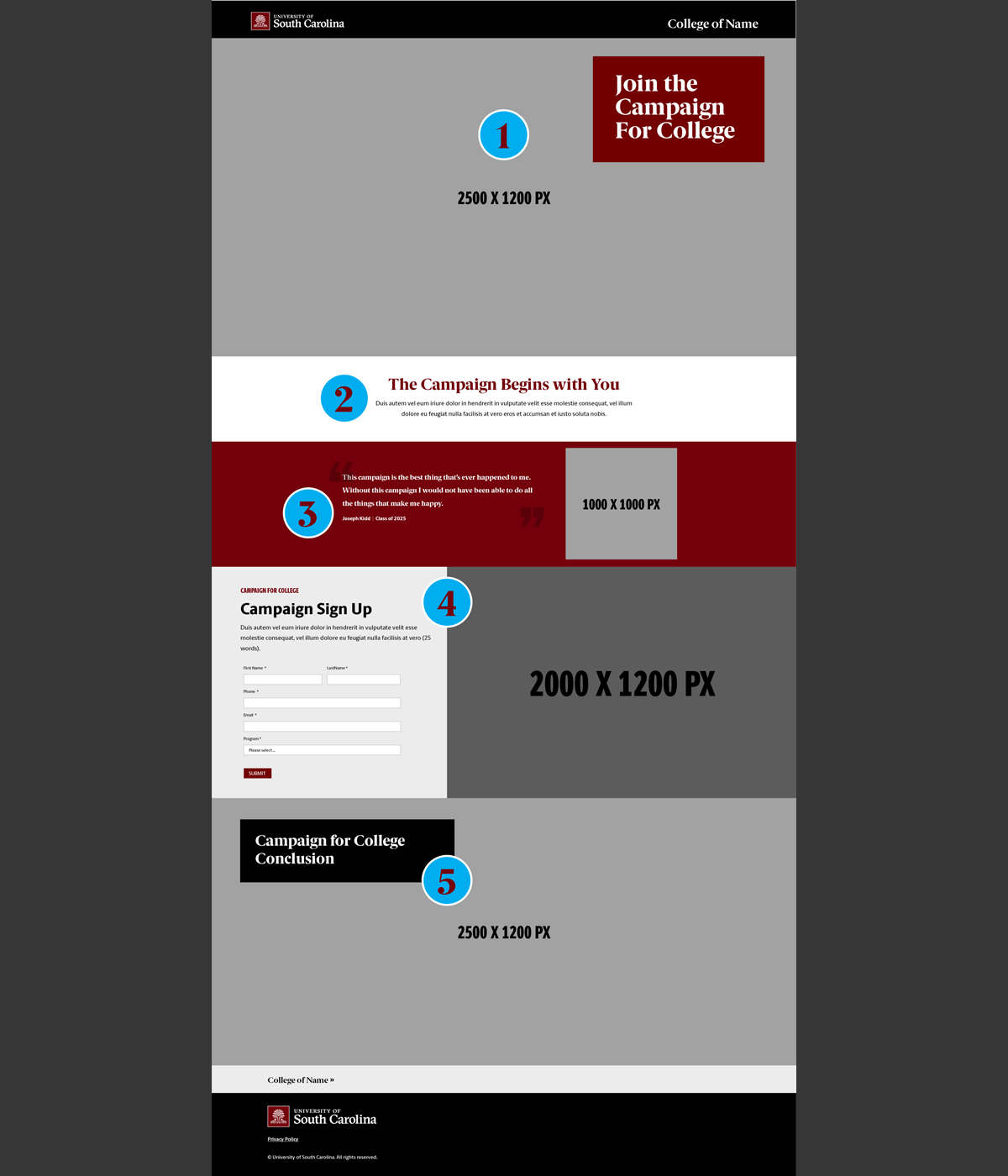
Campaign landing pages can be enabled on a unit site after your unit communications manager contacts the Division of Marketing and works with the Integrated Outreach, Digital Strategy and Social Media teams to plan the campaign, from goal setting through measuring for success.
The campaign landing page is much simpler than a typical landing page. The header is simply the name of the unit with no additional links and all navigation links have been removed from the footer as well. Try to use fewest number of components to drive the intended call to action (the form).
Example Campaign Thank You Page
When your readers complete the call to action and submit the form, it should trigger the campaign thank you page to let them know they have successfully sent the form.
A Formstack form can also be set to notify your staff, so they can respond quickly to the request and the form can feed information into a CRM as well. Work with the Division of Marketing to set up campaign tracking UTMs before you launch.
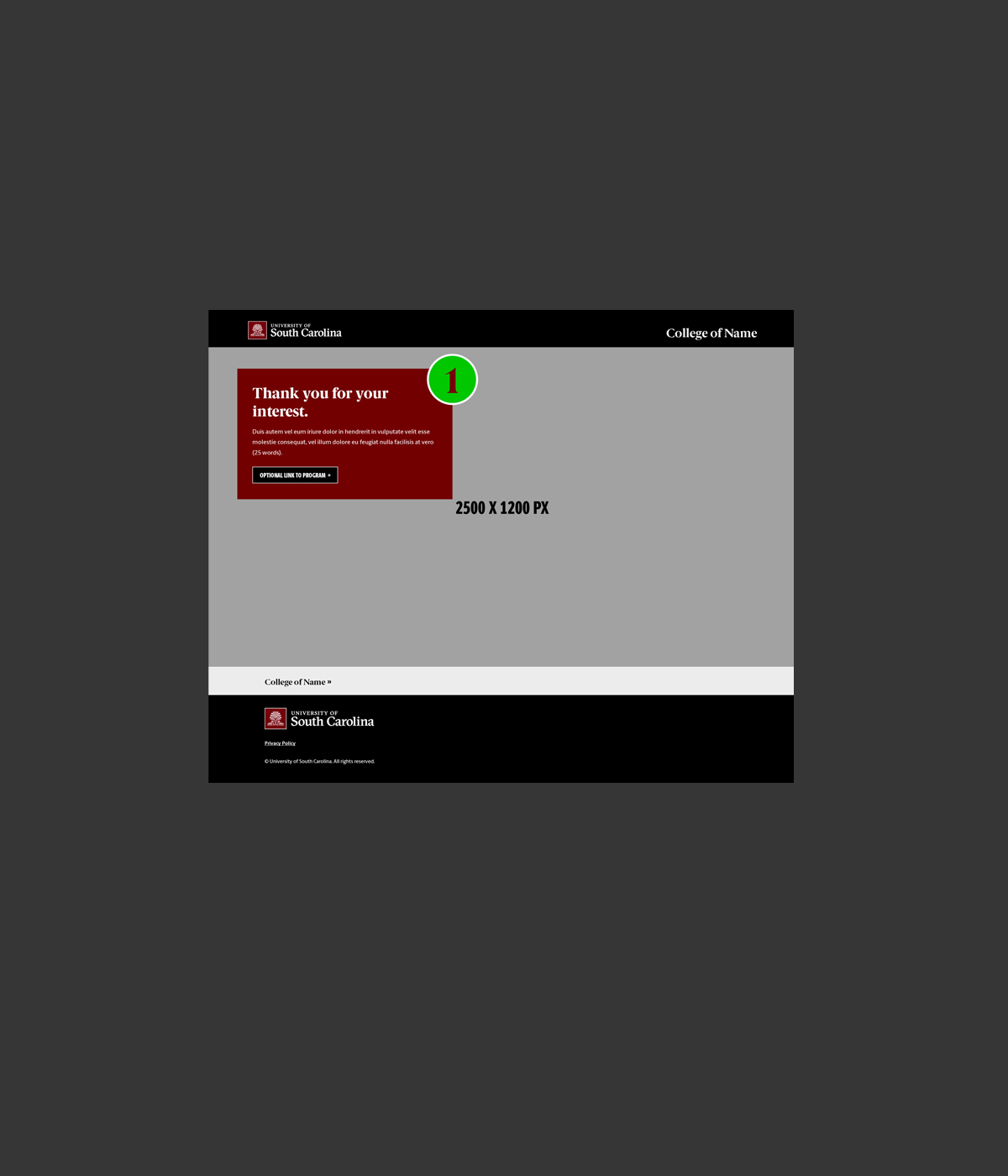
Like on the campaign landing page, the Unit Landing Photo Background with Text Box component provides space for a headline to thank your reader for submitting the form. A simple Thank You headline may suffice, but additional text can explain what the reader should expect next in response. An optional button can link to program pages on your website. Track that traffic as well.